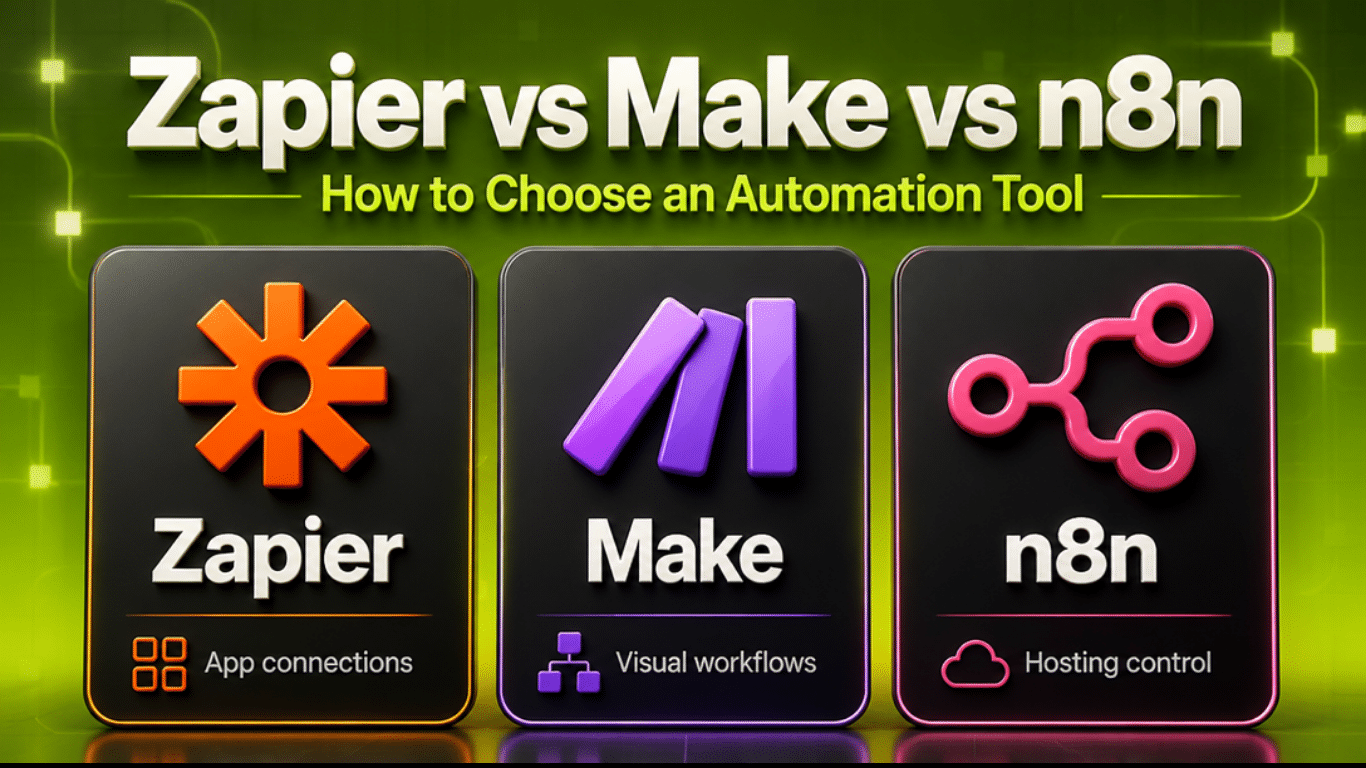
n8n vs Make vs Zapier: Which Automation Platform Should You Use in 2026?
Every business has repetitive tasks that consume time without necessarily creating value.
A customer submits a website form, and someone manually enters the information into a CRM. An online store receives an order, and a team member sends updates across multiple systems. A business owner spends Friday afternoon collecting data for a weekly report. These are exactly the problems workflow automation can solve. Three popular platforms for connecting applications and automating business processes are n8n, Make and Zapier.
All three can automate repetitive tasks, connect business applications and support AI-powered workflows. However, they differ in how you build automations, how usage is charged and how much technical control you have.
So, which one should you choose in 2026?
The answer depends on your business, the tools you use and the complexity of the processes you want to automate.
Let’s compare them.
What Are n8n, Make and Zapier?
Before comparing their features, it’s useful to understand what these platforms actually do.
Workflow automation software connects different applications and allows them to exchange information or perform actions automatically. For example, imagine a visitor completes a contact form on your website, Instead of manually responding and recording the details, you could build this workflow:
Website Form → CRM → Lead Notification → Welcome Email → Follow-Up Task
Once configured, the workflow runs automatically whenever its trigger conditions are met. You could create this type of automation using n8n, Make or Zapier, The difference lies in how you build, manage and scale it.
n8n vs Make vs Zapier: Quick Comparison
easiest starting point, Make provides an excellent balance between visual design and workflow complexity, and n8n is especially attractive when customization and technical control matter. But the right choice becomes clearer when we look at each platform individually.
easiest starting point, Make provides an excellent balance between visual design and workflow complexity, and n8n is especially attractive when customization and technical control matter. But the right choice becomes clearer when we look at each platform individually.
1. n8n: Best for Flexible and Advanced Automation
n8n is a workflow automation platform designed around connecting applications, APIs, databases and services through customizable workflows. Its visual editor uses nodes that represent triggers, actions, transformations and logic.
For example:
Website Form → AI Lead Classification → CRM → Conditional Routing → Email Notification
You can control how information moves between nodes and add custom logic when standard integrations aren’t enough.
What makes n8n different?
One of n8n’s most important advantages is its flexibility. It supports visual workflows, code steps, API requests, webhooks and AI integrations. Businesses can also choose between n8n’s managed cloud service and a self-hosted deployment.
Self-hosting gives organizations greater control over their infrastructure, although they also become responsible for aspects of security, maintenance, backups and reliability.
Where n8n works particularly well
Consider an eCommerce business that needs to automate order processing. The workflow might need to:
Receive order data from WooCommerce.
Check customer information against a database.
Identify the customer’s purchase history.
Send order details to a fulfillment system.
Update inventory records.
Notify the correct department.
Send a personalized follow-up message.
A technical team can use n8n to coordinate these operations while introducing custom API requests and additional logic where necessary.
Advantages of n8n
Flexible workflow design and custom integrations.
Cloud-hosted and self-hosted deployment options.
Support for JavaScript, Python and API-based automation.
Built-in capabilities for AI-powered workflows.
Execution-based pricing on paid hosted plans rather than charging separately for every standard workflow step.
Limitations of n8n
n8n can require more technical understanding than straightforward no-code automation tools. Self-hosting introduces operational responsibilities, and certain collaboration or enterprise capabilities depend on licensing and plan selection. Its self-hosted Community Edition can be used without a subscription license fee for permitted uses, but hosting and maintenance are not automatically free.
Best for: Developers, automation specialists, technically capable businesses and organizations that need greater control over complex workflows.
2. Make: Best for Visual Workflow Automation
Make is a visual automation platform that allows businesses to connect applications and build automated processes. Its workflow builder uses a canvas where applications and modules are connected together. Each automation is called a scenario.
For example:
New Shopify Order → Customer Record → Order Database → Fulfillment Notification
Make allows users to visually trace how information travels between different applications. That makes it appealing for businesses that need something more sophisticated than a basic app-to-app connection without necessarily building an entirely custom software solution.
What makes Make different?
Make is particularly useful for processes involving multiple applications, conditional branches, data transformation and repeated actions. You can build workflows that make decisions based on the information they receive.
For example, a new lead could be processed differently depending on the service requested.
Website Form → Check Service Type
Website design inquiry → Website sales pipeline
Automation inquiry → Automation sales pipeline
Photography inquiry → Photography booking process
Each branch can send different notifications, add records to different systems and initiate its own follow-up sequence.
Advantages of Make
Visual workflow canvas.
Useful tools for filtering, routing and transforming data.
Suitable for multi-step workflows.
AI integrations and AI-assisted processing.
Free plan and paid plans for different usage requirements.
A practical middle ground between no-code simplicity and advanced customization.
Limitations of Make
Make charges through a credits system. Most standard module operations consume credits, while some AI and advanced functions may consume more.
A workflow that processes large numbers of records or repeatedly executes multiple modules can consume more credits than expected. Make also requires users to understand how data is passed between modules, especially when working with arrays, iterators, routers and error handlers.
Best for: Small and growing businesses, marketers, eCommerce operations and teams that want sophisticated visual automation without managing their own hosting infrastructure.
3. Zapier: Best for Getting Started Quickly
Zapier is one of the most established business automation platforms. It connects applications through automated workflows called Zaps.
A Zap usually begins with a trigger and continues with one or more actions.
For example:
New Website Lead → Add to Google Sheets → Create CRM Contact → Send Email
Zapier makes it relatively straightforward to connect common business applications without manually developing an integration.
What makes Zapier different?
Zapier’s major strength is its extensive library of app integrations and its approachable workflow-building experience. It supports more than 9,000 app connections, giving businesses a broad selection of services they can connect. Zapier also supports multi-step automations, conditional logic, webhooks and AI-powered processes, depending on the selected plan and capabilities. Its AI by Zapier functionality allows intelligent actions to be included within automated workflows.
Advantages of Zapier
Accessible for beginners.
Very large integration ecosystem.
Templates for common business processes.
Strong connections with marketing, productivity and CRM tools.
Support for AI-powered workflows.
No server maintenance required.
Limitations of Zapier
Zapier primarily uses task-based pricing. Successful action steps generally consume tasks, although some built-in steps have different billing rules. This means a workflow containing several chargeable actions may consume multiple tasks each time it runs. For businesses processing large numbers of transactions, task usage becomes an important consideration.
Best for: Entrepreneurs, small business owners, marketing teams and companies that want to connect common applications quickly.
4. n8n vs Make vs Zapier: Which Is Easiest to Use?
Ease of use matters because automation only creates value when businesses can maintain it reliably.
Zapier: Easiest starting point
For someone building their first automation, Zapier is often the most approachable option. Its trigger-and-action structure makes simple workflows relatively easy to understand.
If your objective is to send new website inquiries into a spreadsheet and notify your team, Zapier is a reasonable place to start.
Make: Best for visualizing interconnected processes
Make provides a detailed visual representation of your automation. This becomes useful when your workflow involves multiple applications or different paths depending on customer information. However, users still need to learn concepts such as modules, data mapping and filters.
n8n: Best for technically flexible workflows
n8n provides considerable control, but the additional flexibility can introduce a steeper learning curve. It becomes especially useful when built-in integrations are insufficient and the workflow requires APIs, code or more advanced logic.
Our assessment: For straightforward automation, start by evaluating Zapier. For visually complex business processes, evaluate Make. For advanced customization or self-hosting requirements, investigate n8n.

5. Pricing Comparison: Which Platform Is More Cost-Effective?
This is where businesses need to look beyond monthly subscription prices. The platforms use different billing models, so comparing them purely by their starting subscription fees can be misleading.
n8n pricing
n8n’s paid hosted plans primarily measure usage through workflow executions. An execution generally represents a workflow run, rather than a separate charge for every standard node within that run. This can make it attractive for workflows containing numerous steps. n8n also provides a self-hosted Community Edition for permitted uses, although the infrastructure and management costs remain your responsibility.
Make pricing
Make uses credits to measure consumption. A standard action may consume one credit, but advanced and AI-powered modules can have different credit requirements. Your usage therefore depends on how frequently the scenario runs, the modules involved and the amount of data being processed.
Zapier pricing
Zapier primarily measures usage through tasks. Many successful action steps count toward the monthly task allowance. More advanced AI steps may have different task rates, so it is important to review the estimated consumption of the workflow you intend to build.
A practical pricing example
Imagine your business receives 200 website leads every month. For every lead, the automation needs to:
Create a CRM record.
Add a row to a spreadsheet.
Send a notification.
Create a follow-up task.
That is four actions per lead, or 800 action executions per month.
Under a straightforward Zapier workflow, those four successful chargeable actions could consume around 800 tasks. Under Make, a similar workflow could consume at least 800 standard action credits, plus any additional credits from trigger checks, searches, transformations or other modules. Under n8n, the same 200 lead-triggered runs might represent approximately 200 workflow executions if each lead starts one workflow execution, regardless of its four standard action nodes.
These are illustrative usage calculations, not equivalent subscription quotes. Actual billing depends on workflow structure, platform-specific rules, AI usage and the plan selected.
The lesson: Always estimate monthly workflow volume before choosing an automation platform.
A platform that appears inexpensive for five workflows may become less economical when those workflows run thousands of times.
6. Which Platform Is Better for AI Automation?
Trust me AI has expanded what automation platforms can accomplish. Traditional automation follows rules.
For example:
New Lead → Send Welcome Email
AI-powered automation can introduce interpretation and classification.
For example:
New Lead → AI Analyzes Inquiry → Identify Service → Update CRM → Route to Team
All three platforms support AI-powered workflows, but they approach the process differently.
AI automation with n8n
n8n provides AI nodes and agent-building capabilities alongside its technical workflow features. It is suitable for projects involving language models, databases, custom APIs and structured processing.
For example, an AI workflow could interpret a customer support request, retrieve relevant account information and prepare a recommended response for review.
AI automation with Make
Make combines a visual workflow environment with AI integrations, AI agents and AI-related processing tools. Businesses can use it to classify messages, summarize documents, process content and route information into connected applications.
For example, Make could extract useful information from an incoming document and update the relevant CRM record.
AI automation with Zapier
Zapier supports AI-driven steps inside its broader workflow system. Businesses can combine AI classification, summarization or tool-driven actions with traditional automation steps.
For example, Zapier could analyze an incoming lead, categorize it and update the appropriate sales system.
Which one wins for AI?
There is no universal winner. because n8n can be particularly attractive for technical teams building customized AI workflows. Make provides an approachable visual environment for integrating AI into multi-step business processes.
Zapier is well suited to businesses that want AI functionality connected to a broad ecosystem of existing tools.
Before choosing any platform, consider AI model costs, access permissions, output accuracy and whether sensitive actions require human approval.
7. Real Business Examples: When to Use Each Platform
Let’s look at three common business scenarios.
Example 1: A service business collecting website leads
A business receives inquiries through its WordPress website. It wants to capture every lead, send an acknowledgment and notify the sales team.
Possible workflow:
WordPress Form → CRM → Email → Notification
Suggested starting point: Zapier.
For a relatively simple workflow involving popular applications, Zapier may provide the quickest implementation path. Make and n8n can also accomplish the same objective.
Example 2: A Shopify store managing orders
An online store wants to synchronize orders, update records, notify fulfillment staff and send different follow-up messages depending on the product purchased.
Possible workflow:
Shopify Order → Router → Customer Database → Fulfillment → Email
Suggested starting point: Make.
Its visual routing and data-processing tools can be useful for coordinating a multi-step eCommerce process.
The final decision should still account for order volume and credits consumed.
Example 3: A business building an AI-powered CRM system
A company wants to capture leads, analyze inquiries using AI, classify customers, retrieve data from internal systems and automatically create appropriate tasks.
Possible workflow:
Website/Email → AI Classification → API/Database → CRM → Approval → Follow-Up
Suggested starting point: n8n.
Its flexibility can be valuable when the system requires custom logic and multiple technical integrations. However, Make or Zapier may also be viable depending on the applications and complexity involved.
8. Common Automation Mistakes to Avoid
Choosing the right software is only one part of the process. Even the best automation platform can create problems if a workflow is poorly designed.
Automating an inefficient process
If your current business process is disorganized, automating it may simply make the confusion happen faster. Define the steps clearly before building the workflow.
Ignoring errors and duplicate records
What happens if the CRM is temporarily unavailable?
What happens if a customer submits the same form twice?
Well-designed automation should anticipate failures, retries and duplicate information.
Giving AI too much control
AI systems can produce incorrect outputs or misinterpret information.
Actions involving payments, confidential information or irreversible changes should have appropriate safeguards and approval requirements.
Underestimating usage costs
An automation that runs 20 times during testing may run thousands of times after launch.
Monitor executions, credits, tasks and any external AI API charges.
Building workflows nobody can maintain
Your business should understand what triggers each automation, which systems it connects and how to identify failures.
Documentation and monitoring are essential.

9. How to Choose the Right Automation Platform
Before selecting a tool, answer these five questions.
What problem are you trying to solve?
Identify the specific task you want to automate instead of starting with whichever platform is most popular.
Which applications must connect?
Confirm that the integrations support the exact triggers and actions your workflow requires.
How complex is the process?
A two-step notification is different from an AI workflow involving multiple databases, conditional paths and external APIs.
How frequently will it run?
Estimate monthly transactions, action steps, data volume and AI usage.
Who will maintain it?
A business owner managing simple automations may prefer a different platform from a developer responsible for customized integrations.
These questions are usually more important than comparing feature lists alone.
Our Recommendation: n8n, Make or Zapier?
If you’re still unsure which platform fits your business, use this simple guide.
| Your business requirement | Platform to evaluate first |
|---|---|
| Connect two or three everyday apps | Zapier |
| Automate straightforward lead follow-ups | Zapier or Make |
| Build visual workflows with several branches | Make |
| Connect Shopify, CRM and marketing systems | Make or Zapier |
| Build customized API integrations | n8n |
| Deploy workflows on your own infrastructure | n8n |
| Build advanced AI-powered business processes | n8n or Make |
| Get a simple automation running quickly | Zapier |
| Process high volumes with many actions | Compare n8n, Make and Zapier using actual usage estimates |
The most effective solution is not necessarily the one with the most features. It’s the one that performs your required workflow reliably, remains manageable and provides value at a sustainable cost.
Before selecting a tool, answer these five questions.
What problem are you trying to solve?
Identify the specific task you want to automate instead of starting with whichever platform is most popular.
Which applications must connect?
Confirm that the integrations support the exact triggers and actions your workflow requires.
How complex is the process?
A two-step notification is different from an AI workflow involving multiple databases, conditional paths and external APIs.
How frequently will it run?
Estimate monthly transactions, action steps, data volume and AI usage.
Who will maintain it?
A business owner managing simple automations may prefer a different platform from a developer responsible for customized integrations.
These questions are usually more important than comparing feature lists alone.
The most effective solution is not necessarily the one with the most features. It’s the one that performs your required workflow reliably, remains manageable and provides value at a sustainable cost.
n8n provides more hosting flexibility and extensive customization options, making it attractive for technical workflows. Zapier is often easier for beginners and offers a larger ready-made application ecosystem. Neither is universally better.
Make can be more economical for some workflows, but not always. The answer depends on the number of credits or tasks consumed, the workflow structure and any AI-related charges.
Yes. n8n has a visual workflow editor and supports many integrations without requiring custom code. However, technical knowledge becomes useful for more advanced configurations and self-hosted deployments.
Yes. Make can connect WordPress, Shopify and other supported business applications. Available triggers and actions depend on the specific integration and account setup.
Zapier is a useful starting point for simple automations. Make is attractive for businesses requiring more complex workflows, while n8n can work well when technical flexibility and hosting control are priorities.
Yes. n8n, Make and Zapier all support AI-related functionality and integrations. They can be used for tasks such as message classification, content summarization, document processing and intelligent workflow routing.
Usually not. Most businesses can begin with one platform, then introduce another only when a particular requirement justifies it.
Final Thoughts: Choose the Workflow Before the Software
n8n, Make and Zapier are all capable automation platforms.
The differences are mainly in their approach to workflow design, flexibility, hosting and usage costs.
Zapier makes it relatively easy to connect popular business applications.
Make gives businesses a visual environment for building more sophisticated processes.
n8n provides greater control for technical integrations, advanced workflows and self-hosted deployment. Rather than starting by asking which platform is the most powerful, start by identifying the work your business needs to stop doing manually. Then choose the technology that handles that work effectively.
Need Help Automating Your Business?
At GreatCorp, we help businesses design, build and optimize workflows that connect their websites, CRMs, eCommerce stores and everyday business applications.
Whether you need a simple lead follow-up, a Shopify automation, a custom n8n integration or an AI-powered business workflow, we can help you plan and implement the right solution.
Stop spending valuable time on tasks your systems could handle automatically.
CONTACT US NOW
Official platform references
Platform features, pricing and usage rules were reviewed in October 2026 and may change.
Our work
Selected work. Built for real business and clients
Learn more